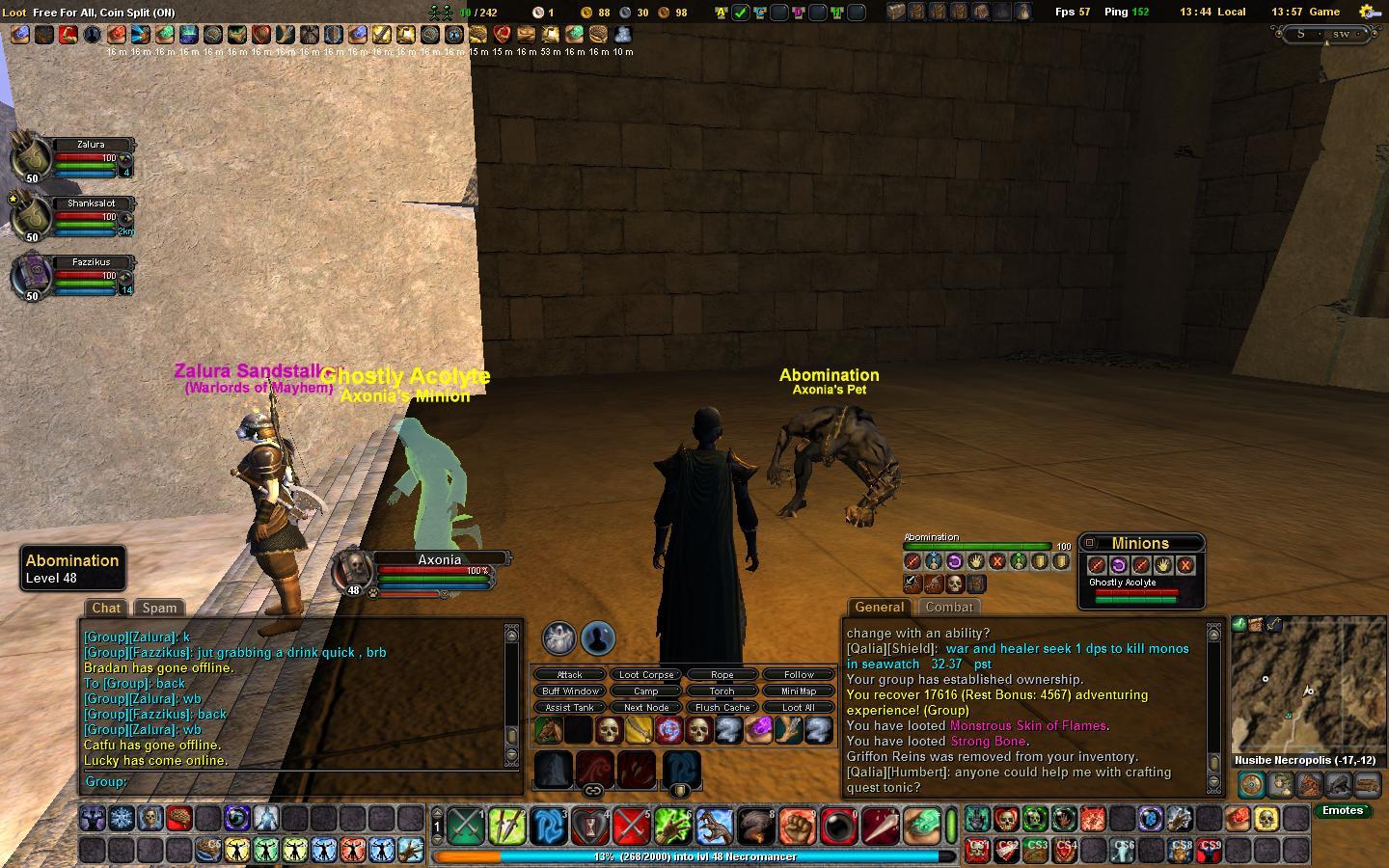
Version 3.2.3
1. Button to turn on the Raid windows without having to open the options button
2. Adjusted the size of the bars so that the health bar is larger and easier to see. Also the endurance and energy bars have been reduced.
3. Added a working weapon bar (thank you Drox). You can now view, change, or open the items in your ranged and melee weapon slots without opening the character window
Optional:
There is an alternate version of the Raid managment windows included in the UI. The details are here.
1. Button bars for each raid member. This has been requested by some of the healer. due to limitations in the Client clicking these buttons WILL NOT AUTO TARGET THE RAID MEMBER. You will still need to manually target the raid member then click the button.
2. Added an option to the raid options (on the raid window) to turn off the button bars.
This support is not active due the amount of space on the screen these changes currently take. To enable this all that is needed is to go to the folder "Vanguard\VGUIAssets\Shells\ManicUI\Windows" and rename the file "ManicUI-RaidManagement.xml" to ManicUI-RaidManagement-org.xml" and rename the file "ManicUI-RaidManagement - hotbars.xml" to "ManicUI-RaidManagement.xml"
Enjoy
Version 3.2.1
1. Enhanced the instructions abit when dealing with the user.ini file
2. Added two seperate versions of user.ini.
Deafult.ini - Contains the default hotkey assignments including support
for the number pad and all the default button bars
G15-N52User - Contains all the hotkeys for G15, N52 and number pad
support with limited hot key support for default button
Bars.
Version 3.2
1. Updated version of InfoMap (version 1.5). I modified it a bit to better fit the default layout
2. Updated the raid group windows to display raid icons
Version 3.1
1. Explanded the Infopanel with additions done by Sunicro
2. Added support for the number pad, G15 and N52 key sets (thank you Drox)
3. Added a custom user.ini file so that key commands can be used with the key sets (again thank you Drox)
Version 3.0
1. Made all reguired changes for GU4 interface changes (This includes changes to the riftway system, pet display and character atributes system, and who knows what else

)
2. Added numeric health displays on the Player status display, Offensice target display, main group display, and healer bar display.
3. Seperated the LFG icon from the group window so that it can me place wherever desired.
4. added and option to hide the main group display. This I did for raiding so that you could use the raid groups windows if you wished.
5. Modified the diplomacy windows so that 20 cards are displayed versus the standar